

The white blotch on Grandma's 1978 wedding print is not dust. It is the kitchen ceiling light sitting in the glossy paper. If you want to scan photos without glare, the light on the table comes first. The app comes after that.
App scan or a plain photo
Two ways get paper onto the phone. Both can stay clear. Both turn milky when the lamp sits right in the camera.
The first is a scanner app such as PhotoScan by Google Photos. It does not take one snapshot of a snapshot. It walks you over four points and builds a scan with automatic edge detection and perspective correction. The second is a plain photo: you hold the phone still and move the lamp until the shine leaves the picture.
How to choose at the table:
- The app, when you want to finish a whole box in one afternoon.
- The camera without the app, when you want to set how fine the picture is, for a later print.
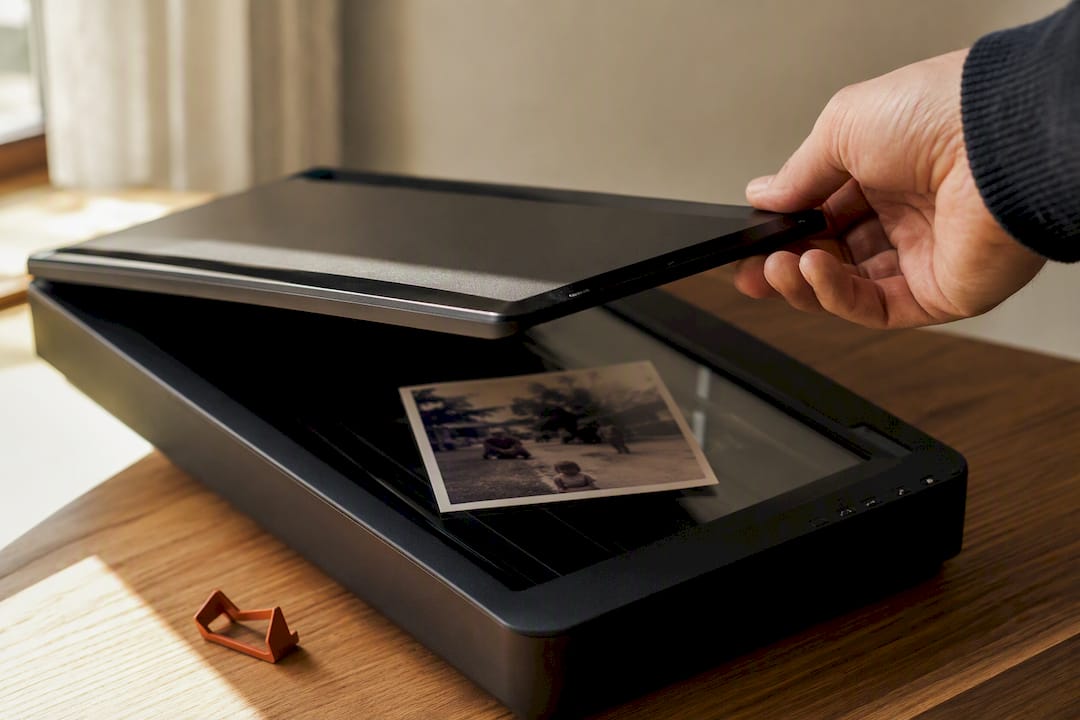
- The flatbed, when one piece should stay as even as the glass can make it.
- Do not fire the flash straight at glossy paper. That is how you get a hard white spot in the middle of the print.
For most family albums the app is enough. The 1978 wedding print that should later hang large can wait for the scanner.
Step by step at the kitchen table
Set the light and the print first. If you start shooting right away, the white blotch is in the picture afterwards.
- Lay the print down. Flat, no wave. Dust with a soft brush, not a sleeve.
- Set the light. Stand by a window, not in the sun. Soft daylight is the first thing that keeps shine off glossy paper.
- Deal with the flash. For a freehand photo, leave it off. Google's PhotoScan help says the opposite for the four-point walk: keep the flash on, because the app builds the picture from several shots. Those are two different ways of working, not a fight.
- Hold the phone square. As straight above the print as you can. A small stack of books helps if your hand shakes.
- Walk the four points. In the scanner app, move the circle over each mark. PhotoScan stitches those frames to take the glare out.
- Look once. Edge, corners, colour. If a bright circle still sits in the middle, do not retouch. Change the light or the angle and take the same print again.
Do three test scans before the box: one matte black-and-white, one glossy, one still in a sleeve. If the glossy still shows the lamp, the light is wrong, not the app.
What you can do beforehand
A few small moves before the shot save you a second round.
Flatten a wave by leaving the print under a heavy book for a day. Take off sleeves, plastic, and glass if the paper can take it. If the print is stuck in the album, do not tear it: a little leftover shine is better than a torn original.
A matte, plain sheet is enough as a background. Carpet and patterned cloth confuse the app because it cannot find the edge. Google's help says the same: a flat surface with a colour that stands apart from the border, not the carpet.
Dust off the paper. Wipe the lens. Both look later like a soft haze, and people blame the app.
When the shine still sits there
Some prints are so glossy that window light alone is not enough. Move the lamp to the side, or tip the print a little, and the shine walks out of the frame instead of sitting on Grandma's face.
A pale sheet in front of the lamp softens the light. A ceiling lamp right over the table does the opposite. If you work a whole box in one afternoon, keep one lamp in one place. Sun that moves every ten minutes brings the blotch back.
Side light is almost always enough. If it is not, tip the print a little, or use the flatbed.
If your phone has a film on the camera, check it before you start on the whole box. A cheap lens cover can leave a soft haze, and you see it first from twenty centimetres.
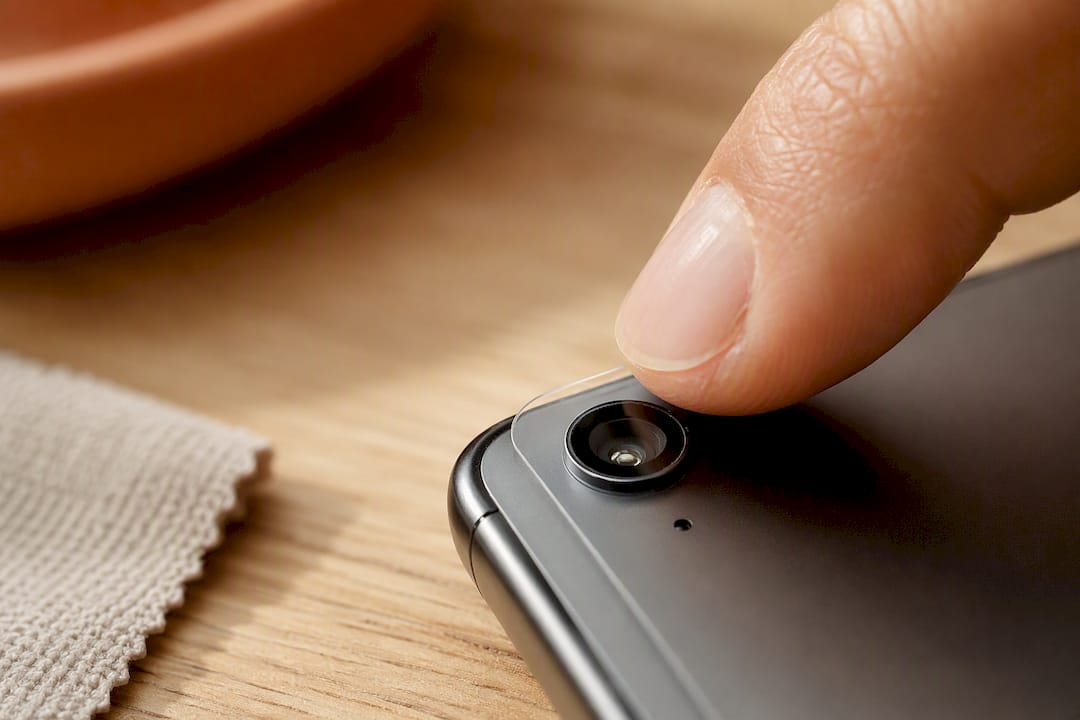
Wipe the lens with a dry microfibre cloth. Take the same print once with the film on and once without. If only the shot with the film looks soft, it is not the light.
Scanner, app, or camera
With a whole box, what counts is how much time you have and how even one piece needs to be.
A flatbed scanner gives the quietest surface and the most even light. It is slow. For the wedding print that should later go large, it is often the better choice.
A scanner app on the phone is fast and enough for most everyday albums. It removes glare by combining several shots, not because it magically loves the paper.
A plain photo lets you set how fine the picture is and what stays in the frame. You have to keep an eye on the light and a shaking hand.
A shop scan is worth it for badly damaged originals, very large formats, or paper that will not lie flat. For the rest: light and angle first, then the app, then the scanner for the few pieces that need the extra.
How you later find the files in folders is in the guide to organizing family photos. How you keep three copies you can actually restore is in the 3-2-1 backup. This page is the moment before the folder: the print has to be clear first.
The scan belongs with the story
A clean picture in a folder with no name is, a year later, only a file again. The story is not in the sharpness. It sits in the voice that says who is in the picture.
FamilyStories does not scan. The app does not make a printed book. What it can do is hang the finished picture on the question it belongs to, next to the text and the original voice. Up to three pictures fit on one answer. Text, recordings, and photos stay end-to-end encrypted. FamilyStories cannot read them or hear them. The text beside the voice is a map for finding a place again, not the recording. A paid plan can export the collection as a Word or PDF file, not as a printed book.
The app runs on iPhone and iPad. The guest link is a key: whoever has it can read and edit opened questions. Up to ten people can collect the family's shared memories in a private circle. Everyone can contribute: a name, a photo, a voice. The circle is for collecting, not a helper role.
How photo, letter, and original voice stay together is in how to organize family memories. How the voice itself stays is in how to interview parents.
Without FamilyStories this guide is still a kitchen lesson in light and angle. What you would still lack is a place where the clear picture is not an orphan file, but sits on the same question as the voice.
Frequently asked questions
Lay it flat on matte paper. Use side light, not the ceiling lamp. For a freehand shot, leave the flash off. In a scanner app, follow the four points the way the app shows them, even if it uses the flash. Tip the print a little and the shine often leaves the face.
The practical path is a scanner app such as PhotoScan by Google Photos: frame the print, then walk the circle over the four points. For one print you care about most, a flatbed scanner is still the quieter choice.
A flatbed scanner gives the most even surface. Photographing with the phone and a scanner app is faster and enough for most family albums. The device matters less than whether the shine is already out of the picture before you save.
For most homes, a flatbed with a photo mode or a scanner app that combines several shots is enough. Document apps that straighten receipts are built for paper with type, not for glossy prints.
Keep your family's stories, in their own voices
FamilyStories is the iPhone and iPad app where your family collects life stories: with personal questions, real voices and photos, kept private, and in the end a printed book.
- Personal questions by chapter of life
- Spoken words become text automatically
- The original voice is always kept
- Photos right next to their story
- A family circle for up to 10 people
- Answer without the app, by link
- Weekly reminders to keep telling
- Music and nature sounds as you talk
- A family tree for the whole family
- Save it as a PDF or a Word file
- A printed book, shipped worldwide
- Private and end-to-end encrypted
- Download the app
Get FamilyStories from the App Store on your iPhone or iPad.
- Pick the questions
Tell the app a little about the person, and it picks fitting questions.
- Invite your family
Send your family a link. They answer in the app or in their browser.