

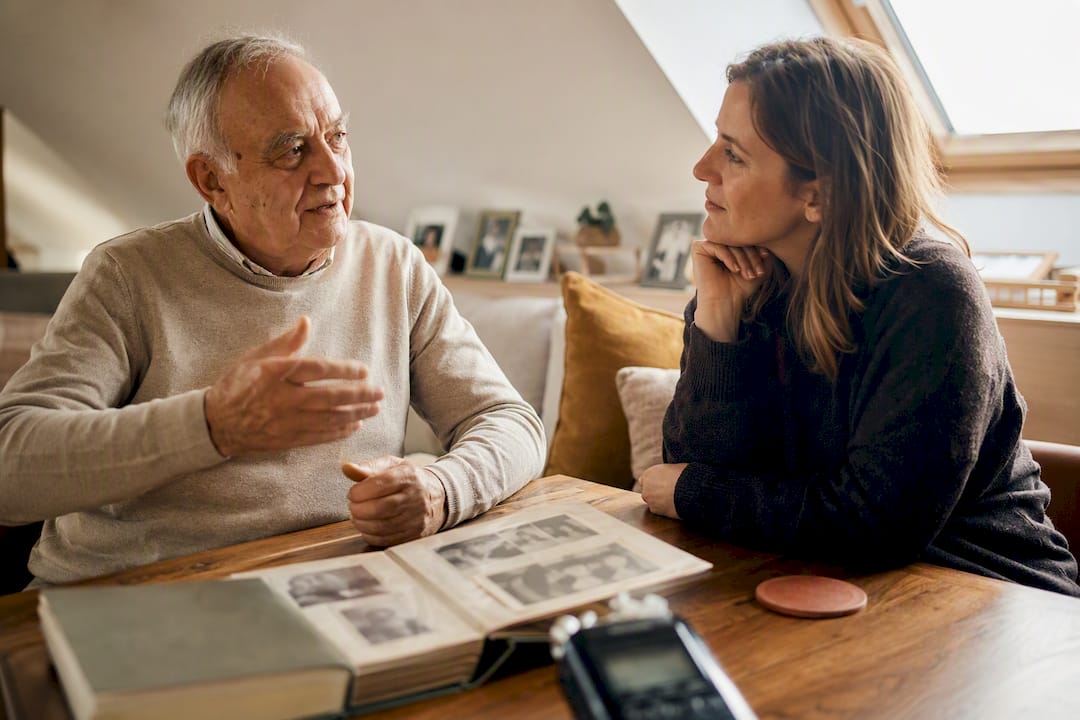
Interviewing your parents starts with a recorded conversation so the original voice is still there later. The point is not a book draft, a question list, or a short clip on a photo. The file itself is the archive. The transcript only helps you find a passage again.
What a family interview actually preserves
A family interview is a guided conversation that you record. Later you hear not only what was said, but how it was said: the pause before a name, the laugh, the accent, your mother's voice when she is unsure.
Written notes keep facts. An original recording keeps the person. That is why the file belongs at the start of the archive work, not at the edge. If you only take notes, you often end up with sentences and no voice a grandchild can still recognize.
The transcript is useful when you want to find a passage, for example childhood in Ohio from minute twelve. It does not replace the recording. A cloud that turns speech into text and then misplaces the original file only does half the job.
How to prepare the conversation
Talk about the plan first. Explain why the voice matters to you, who may hear it later, and that you can pause at any time. Only then do you turn the microphone on. That is how an interrogation becomes a conversation.
Prepare five to eight open questions, from broad to specific. Family Tree Magazine recommends exactly this funnel, because it invites a story instead of forcing short answers. Ready lists live in questions to ask your parents about their life. This page needs only a short set. The list is preparation, not the archive.
A memory anchor matters just as much. A box of old photos, an heirloom, or a song from youth often opens more than the next question. Guides for talking with older relatives suggest placing photos and objects beside the conversation instead of testing the person on exact years.
This checklist is enough:
- Ask for a clear yes, without pressure
- Explain the purpose in one or two sentences
- Prepare five to eight open questions, from broad to specific
- Lay out photos, objects, or music as anchors
- Choose a quiet place and an uninterrupted stretch of time
- Prefer a second, shorter conversation over one that leaves both of you tired
How to keep the story going without interrupting it
Start with childhood or an everyday picture, not the hardest subject. Many people remember early scenes in especially vivid detail. From there you can move in time or follow a theme such as work, a move, or friendship.
Ask open questions and avoid leading ones. Instead of "You must have been sad then," ask: "How did that feel at the time?" Sensory questions often open more than abstract ones. "What did your grandmother's kitchen smell like?" usually brings more than "Tell me about your childhood."
Leave the pauses. Some memories need time before they arrive. The guides for talking with older relatives say clearly not to fill the silence at once. If a topic becomes visibly uncomfortable, change it quietly, without explanation and without pressing.
When memory is unsure, change strategy. Ask about the favorite Sunday dish instead of the exact year of a move. Daily routines and repeating habits often carry further than a timeline with holes.
At the end ask: Is there something I did not ask that I should know? That last question gives the speaker the steering wheel back.
Technique: test recording, original file, two storage places
A smartphone is enough. You do not need a studio. You need a few minutes of setup.
- Make a short test recording and listen to it before the conversation starts.
- Turn on airplane mode so a call does not split the file.
- Check storage and battery.
- Place the phone close to the speaker, not between cutlery and cups.
- Save the original file afterward in two separate places.
Keep the original file. MP3, M4A, or WAV are workable formats as long as you can still open the same file later. Name it by date, person, and topic, for example 2026-05-mom-first-job. A file called Recording 3 helps nobody in a year.
A second device in the same minute is a safety net, not a requirement. What matters more is that the file does not live only in a chat folder that gets cleaned up someday.
After the recording: the transcript helps you find a passage, it does not replace the voice
Archive work starts right after the conversation. Save the file at once. Two storage places are the working rule, not a USB stick in a drawer.
Then make a transcript with timestamps and topics. You will not search the whole hour later. You will search for one passage. Note the date, place, who interviewed, who spoke, and that they said yes.
| Step | What it holds | Why it matters |
|---|---|---|
| Original file | The unchanged recording | The voice stays audible |
| Second backup | A second, separate place | One broken copy must not be the last |
| Transcript | Text with timestamps | Find a passage again |
| Metadata | Date, place, people | A place in the family tree |
Attach the story to a person so it stays clear whose voice this is. Treat every statement as that person's version, not as a checked historical fact. If you later want a short clip on a photo, that is a different task. Use combine photo and audio for that. Here the original file remains the archive.
Automatic transcription gives a first draft. Dialect, names, and dates often need a later pass. That makes the transcript easier to search. The voice still lives in the original file.
Why the original voice carries more than the text alone
Families often wait for the right moment. It rarely arrives on its own. Research on family stories shows that children and teenagers with a coherent picture of their family cope better in hard times. This is not about a perfect studio. It is about having a story that can be told at all.
A later study of family stories suggests that stories about the family often predict young people's well-being more strongly than stories that only cover their own lives. That is why the original voice is worth the care: a grandchild later hears the person, not only the content.
An interview does not have to be perfect. It has to happen while the voice can still tell. More scripts and a tech check live in the family interview questions guide. The full life-story arc belongs on record your parents' life story. This page explains how the voice itself survives.
How FamilyStories keeps the original voice private
Loose voice memos and scattered text files disappear easily. FamilyStories keeps the question, the original voice, the transcript, and the matching photos in one private place.
The app supplies guided questions, takes answers as text or speech, and turns speech into text on the family's devices. There is no speech recognition through an online service. The original recording stays. A transcript helps you find a place. It does not replace the voice.
Up to ten people share a private family circle. Someone who does not want the app can speak through a private guest link in the browser, with no account and no sign-in. You attach photos directly to the answer. Everything stays end-to-end encrypted. FamilyStories shows no ads, does not sell data, and does not use family content to train artificial intelligence.
With a paid plan you export stories as a Word or PDF file and can also download photos and original voices. The file then stays in your hands outside the app as well.
Frequently asked questions
No. The transcript helps you find a passage. The original file holds dialect, pause, and laughter. Keep both, and do not treat the text as a replacement.
A shorter, alert conversation is better than a long, tired one. A first conversation may end after one vivid scene. Set a second time right away instead of forcing everything into one sitting.
Wait. A pause is often the moment a memory arrives. Do not fill it with the next question. If the person becomes restless or sad, change the subject.
Speech becomes text on the family's devices, through the device speech recognition or a locally downloaded model. Neither the recording nor the transcript goes to a speech-recognition service outside those devices.
You can invite someone through a private guest link in the browser. The link opens only the released questions. Share it only with people you trust.
Keep your family's stories, in their own voices
FamilyStories is the iPhone and iPad app where your family collects life stories: with personal questions, real voices and photos, kept private, and in the end a printed book.
- Personal questions by chapter of life
- Spoken words become text automatically
- The original voice is always kept
- Photos right next to their story
- A family circle for up to 10 people
- Answer without the app, by link
- Weekly reminders to keep telling
- Music and nature sounds as you talk
- A family tree for the whole family
- Save it as a PDF or a Word file
- A printed book, shipped worldwide
- Private and end-to-end encrypted
- Download the app
Get FamilyStories from the App Store on your iPhone or iPad.
- Pick the questions
Tell the app a little about the person, and it picks fitting questions.
- Invite your family
Send your family a link. They answer in the app or in their browser.