
You do not start a memory book by opening the prettiest online editor. You first decide whether the book is a one-time gift, a growing family archive, or both. Then you choose a format, collect contributions in a fixed page shape, and only then move into layout.
This guide gives you a repeatable grid: five fields on every inner page. Spreads stay comparable even when cousins, neighbors, and grandparents write at very different lengths.
Which format fits your memory book?
Four formats answer the same wish. They do not fit the same week.
A ready fill-in album already has printed boxes. It helps when you need a gift fast or want to mark children's birthdays year after year. A memory album for the first twelve birthdays shows this type: hardcover, clear year stations, little layout work. The cost is tightness. Long voice recordings or many guests rarely fit preprinted boxes.
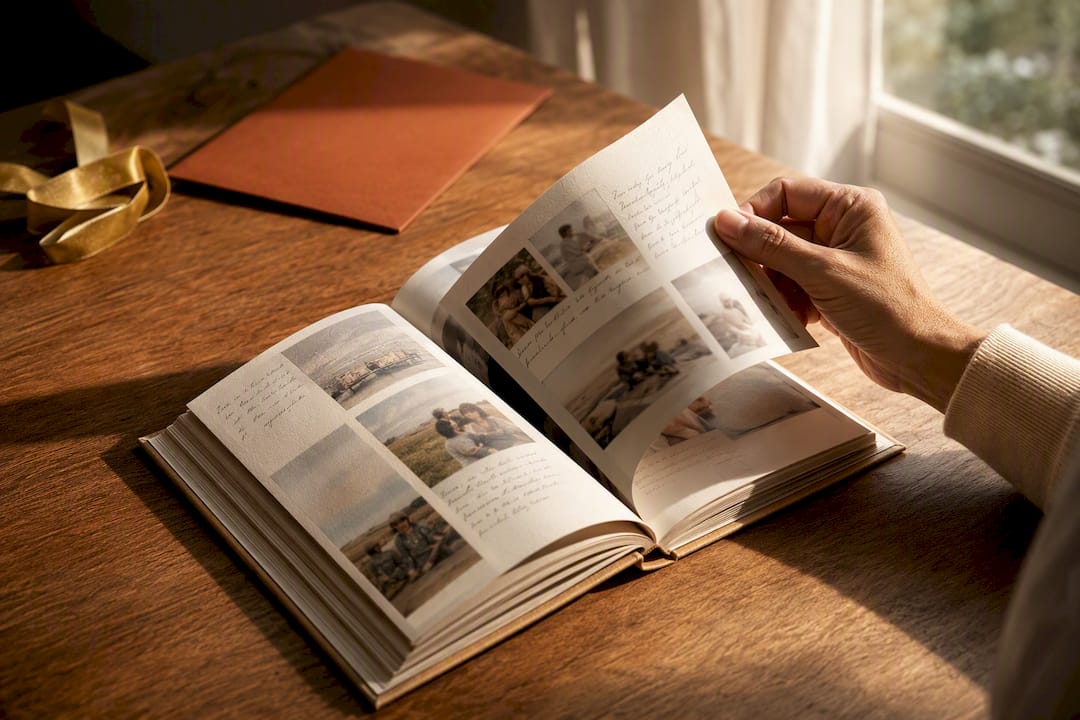
A photo book is built from your pictures and texts in an editor or in Word. You choose the order, type, and paper. You also have to know which file belongs on which page before you start. Otherwise every late photo knocks the layout over.
A scrapbook glues paper, tickets, and handwriting together. It feels one of a kind and is hard to copy. The sentences then live only on the paper. If the book is lost, the words go with it.
A digital collection with later print helps when not everyone sits in the same living room. Services with export and print options show why a timeline is practical: photos, texts, and later a book can come from the same archive. Check who can read the contents and whether you can get the files back in full.
| Format | Choose it when | Typical weakness |
|---|---|---|
| Fill-in album | You need a finished gift in a few days | Little room for longer stories |
| Photo book | You want your own photos and a consistent layout | Contributions must be complete first |
| Scrapbook | The unique object matters more than a second copy | Texts and photos are hard to back up |
| Collect digitally, then print | Relatives live apart and should contribute in their own time | You still need an export plus a second layout |
Start with 15 to 20 photos as original files, not the smallest chat previews. The rest of the book is easier when that first selection already carries names, year, and occasion.
Before you design: goal, scope, and a collection list
A book for a 30th birthday needs different pages than an album that will follow twelve childhood years. Write down five decisions before you duplicate templates.
- Goal: one-time gift, ongoing archive, or both.
- Time span: one celebration, one year, or a whole life.
- Voices: only you, the inner circle, or every guest.
- Deadline: two to four weeks of lead time is realistic when several households will deliver.
- Filing: one folder per chapter, subfolders for photos, texts, and quotes, filenames such as
2026_Grandma_backyard.jpg.
Keep a collection list beside that. It is duller than a cover. It saves you from hunting files inside the editor.
| Page | Occasion | Main photo | Who writes the short text? | Who supplies the guest voice? | Status |
|---|---|---|---|---|---|
| 4 | Camping trip 2019 | 2019_tent_dad.jpg | Karim | Anna | Photo in, text open |
| 5 | First day of school | 2018_school_inge.jpg | Anna | Grandma Inge | complete |
| 6 | Backyard gathering 2026 | missing | still open | Neighbor | waiting |
Keep going only when every planned page has at least a photo and named owners. Empty pages in the editor are not a buffer. They are open jobs.
The five fields that carry every page
A memory book feels restless when every page uses a different grid. Five fixed fields are enough. Children and less practiced writers can fill them without inventing a whole chapter.
| Field | What belongs here | What you leave out |
|---|---|---|
| 1. Main photo | One picture that carries the moment, plus at most one or two small supporting images | A collage of twelve tiny thumbnails with no focus |
| 2. Headline | A concrete sentence, such as “The day Dad put the tent up backwards” | “Happy birthday” or only the year |
| 3. Short text | Three to five sentences: who was there, where it was, what happened | A life story on one page |
| 4. Anecdote | A detail only insiders know | A punchline that embarrasses the person receiving the book |
| 5. Guest voice | A quote, wish, or short greeting from someone who was there | A second essay from the same person |
The cover only needs one strong photo plus name and year. Inside, a calm spread beats a packed puzzle.
If you work in a photo-book editor, set up one master spread with exactly these five fields and duplicate it. In Word or Pages you do the same with a master page. How to keep that kind of grid print-ready in Word is in our guide to a photo book in Word. Layout comes after the collection list, not before it.
Worked example, clearly a planning sketch: For Grandma Inge’s 60th birthday, three households want to contribute. Household A supplies the garden photo and the short text. Household B sends the anecdote about the tent that went up backwards. Household C records the neighbor’s greeting as a voice memo and turns it into one or two sentences. Every page then has a named owner. Nobody has to fill the whole book alone.
Print: originals, paper, and a test page
Photos that look sharp on a screen can go soft in the book if they were shrunk first. Check the files where printers explain their requirements, for example in the FAQ on sufficient resolution. The exact number depends on the vendor. The working rule stays the same: keep originals, skip chat copies, order a test page.
- Save photos at original resolution before you load them into an editor.
- Pictures from messaging apps or social feeds are often already heavily reduced.
- For a book that will be passed around, hardcover with sturdy paper beats a thin softcover.
- Plan 3 to 5 millimeters of bleed so faces and years do not land on the trim.
- Order a single test page or a sample copy before the full run.
- Keep four to eight spare pages in case binding adds blanks or a late text still arrives.
If the book should be printed again later, you need more than the printer’s PDF. You also need the collection list and the original photos. Otherwise you cannot change one page without guessing everything again.
Page ideas and questions that fill blank sheets
A blank page is the most common stall. Fixed standard pages plus five questions solve that, without asking anyone to invent “something nice.”
Reliable standard pages: the celebration itself, the guest list, the gifts, a highlight of the year, a short letter to the person, a quote page.
Questions that feed the short text and the anecdote:
- What was your favorite gift this year, and why?
- Which song played on repeat this year?
- What made you laugh hardest this year?
- Who helped you most this year?
- What do you want to remember about this year in ten years?
Children’s pages work with large fields, stickers, and hands-on elements. A creative birthday book with activity elements shows exactly that path: fill in, paint, stick, including stickers for the year number. Adult pages can carry more text and a quieter guest voice. The same five fields remain. Only the type size and the length of the short text change.
When the family is not at the same table
Once contributions come from several cities, the book rarely fails on layout. It fails because photos sit on three phones and anecdotes exist only out loud. Then you need a collection place that holds voice, text, and photo together, and only after that the print.
Digital diaries with a timeline and a print export can solve the logistics. They do not replace the question of who may read the stories and whether you can get original files back. When personal memories travel among uncles, grandchildren, and a print shop, limiting access matters as much as a pretty page.
FamilyStories sits in that gap, not in the cover designer. The app offers guided questions that fit the person telling the story. Answers come as text or a voice recording. The recording is turned into text directly on the device. You attach photos to the answer. The contents are end-to-end encrypted. FamilyStories cannot read them. With a paid plan you export stories as Word or PDF files and download photos and original voices. From that you build the book with the five-field grid.
Not every relative needs the app for that. Through a private browser link, someone can answer selected questions without browsing the whole family circle. That is the practical difference from an empty scrapbook that only fills when everyone sits in the same room.
If you first need good conversation prompts, use the questions to ask your parents about their life. How single answers become a connected life story is in the guide to recording your parents’ life story.
How the writing can feel true without turning sugary
A memory book lives on concrete detail, not on polished stock phrases. “Happy birthday” fills a field, but not a memory. A sentence such as “This year you rode a bike on your own for the first time, in the rain, and you did not stop smiling” can carry the field by itself.
Build the book on purpose: lighter pages about guests and gifts first, then more personal letters or wishes for the years ahead. The order gives readers time. Sense details help more than adjectives. Name the cake, the song, the weather.
Guest voices may disagree. The same backyard gathering can feel like adventure to a child and like noise to a grandmother. Both sentences belong in the book, each in field 5 of its own page. At the end of a page, an open question to the person receiving the book is often enough. The book stays a look back that still points forward.
Perfection is not a quality mark. A crooked photo with an exact sentence is more honest than a flawless layout without an anecdote. The five fields should make collecting easier, not turn every page into an advertisement.
Frequently asked questions
No. A preprinted fill-in album is enough for a quick gift. A photo-book editor or Word is worth it when you want your own photos and longer texts in one consistent grid.
For a single celebration, 20 to 40 inner pages often suffice. A book across several years of life needs closer to 40 to 50 pages plus spare sheets. The page count matters less than whether each page actually fills the five fields.
Yes, if you share the collection list first. Every page needs a named owner for the photo, the short text, and the guest voice. Without that assignment, the same three anecdotes arrive three times and other pages stay empty.
Originals from the phone or camera, not the compressed chat copy. Check your printer’s current requirement and order a test page before you start the full run.
When the storytellers are not at the same table, or they would rather speak than type. Then you collect voice, text, and photo privately first and set the book only when the five fields are filled.
Keep your family's stories, in their own voices
FamilyStories is the iPhone and iPad app where your family collects life stories: with personal questions, real voices and photos, kept private, and in the end a printed book.
- Personal questions by chapter of life
- Spoken words become text automatically
- The original voice is always kept
- Photos right next to their story
- A family circle for up to 10 people
- Answer without the app, by link
- Weekly reminders to keep telling
- Music and nature sounds as you talk
- A family tree for the whole family
- Save it as a PDF or a Word file
- A printed book, shipped worldwide
- Private and end-to-end encrypted
- Download the app
Get FamilyStories from the App Store on your iPhone or iPad.
- Pick the questions
Tell the app a little about the person, and it picks fitting questions.
- Invite your family
Send your family a link. They answer in the app or in their browser.