


You do not need a perfect book to start preserving your family history. An editable family history book template in Word or Google Docs is often enough to collect names, memories, and photos. A photo book template works well for a visual gift. If you would rather keep conversations, photos, and original voices together in a private place before designing the book, you will also be able to use FamilyStories after its App Store launch and export what you have collected later.
The basic process is always similar: gather your material, organize it, write the stories, design the pages, and only then prepare the book for printing. This modular template will help you get started without creating unnecessary clutter.
Table of contents
- What belongs in a family history book?
- Which family history book template suits your goal?
- How should you organize chapters and people?
- How do you create a family history book step by step?
- How should you design photos, type, and the family tree?
- What printing options and costs are realistic?
- How can the app support the project?
- Why a template alone does not make a good family history book
- Frequently asked questions
- Sources
What belongs in a family history book?
A family history book is more than a list of ancestors. It comes to life through several elements that support one another:
- Genealogical details: Dates of birth, marriage, and death, along with places of residence and occupations, make family connections easier to follow.
- Biographies and profiles: Short portraits help readers see the person behind the dates.
- Original documents and photos: Letters, certificates, and old photographs give the family story a human face.
- Personal anecdotes: Small moments often reveal more about someone than an official record can.
- Historical context: Events of the time can explain why a family moved, changed professions, or had to begin again.
This is what separates a family history book from a simple family tree. A family tree shows relationships. A history book tells readers how people lived and why their lives unfolded as they did. The right level of detail depends on what you want to create. A keepsake for children and grandchildren can lean more heavily on anecdotes. A reference book for the wider family will usually need more dates and sources.
Which family history book template suits your goal?
Your choice of template can make it easier to keep the project moving. Four approaches cover most needs:
- Word or Google Docs: Practical when several relatives need to add text and leave comments.
- Photo book templates: Providers such as CEWE offer design templates with timelines and family tree elements. They are especially useful for image-rich gift books.
- InDesign or similar page layout software: A good option if you want precise typography and professional printing, and you are willing to learn the software.
- A private family app with export: Useful when you want to gather conversations, photos, and text before deciding on the final layout.
A few technical choices can also save time later. For print, photos should ideally be available at 300 dpi. Leave enough space around the page edges for binding. Two well-paired fonts usually look calmer and more polished than a mix of many different styles.
Practical tip: Choose a consistent file-naming system from the beginning, such as 1965_Wedding_Grandpa-Karl.jpg. It will make photos easier to find when several people are adding material.
If multiple relatives are involved, keep one central folder with a separate file for each chapter. Add a date or version number to the filename so that people do not accidentally work on different versions.
How should you organize chapters and people?
The same basic framework works in Word, a photo book service, or professional layout software:
- Foreword: Why was the book created, and who is it for?
- Main chapters: Organize the story chronologically by decade, or by person and branch of the family.
- Source list: Record where photos, quotations, and documents came from.
- Name index: List everyone mentioned and point readers to the relevant pages.
Repeating page types can create a calm rhythm within each chapter. A profile with a name, key life dates, a photo, and a short anecdote can follow the same layout every time. A longer biography can take more space when one person played a particularly important role in the family story. Photo galleries and timelines can break up longer passages of text.
The name index is more than a reference tool. It connects people, places, and events across the whole book. It can also reveal inconsistencies, such as a birth year in one chapter that does not match a later reference. Catching these details before printing saves difficult corrections afterward.
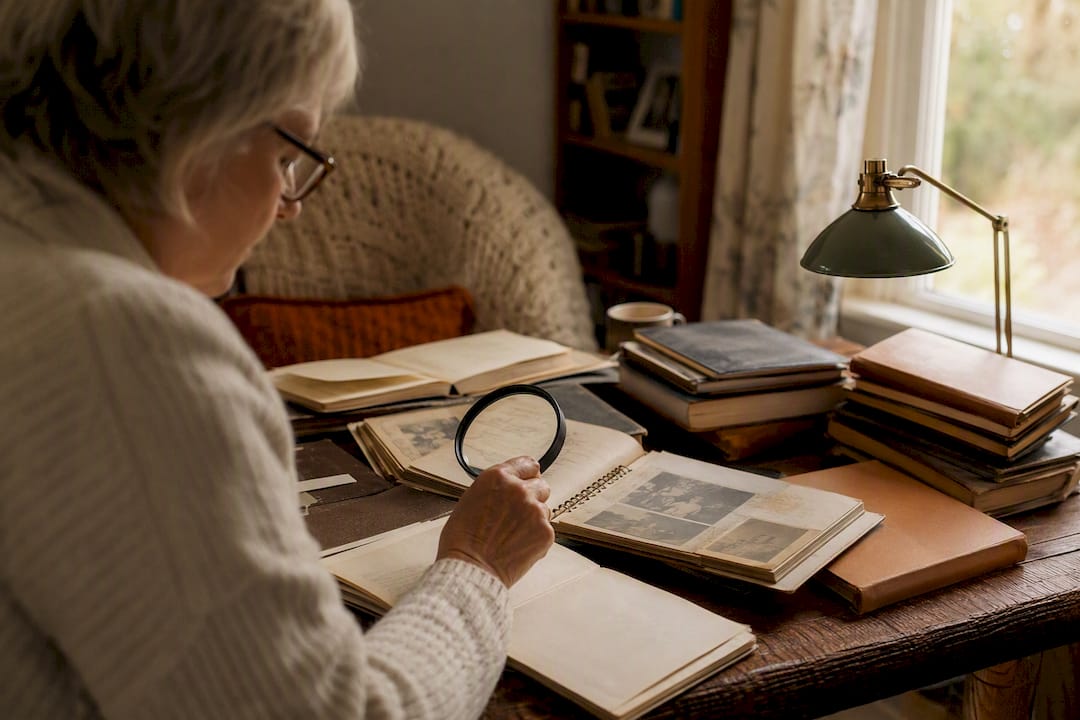
How do you create a family history book step by step?
A family history project can grow quickly. Dividing it into clear stages makes it easier to manage:
- Gather and digitize: Scan photos, photograph documents, and create a backup right away.
- Transcribe and organize: Decipher handwriting, sort material by person or period, and mark unanswered questions.
- Talk to relatives: Ask parents, grandparents, and other relatives to share their memories. Short, specific questions often lead to richer answers than a broad prompt such as “Tell me your life story.”
- Write and edit: Connect facts with stories, remove repetition, and ask at least one other person to review names and dates.
- Prepare the layout and print files: Check the PDF export and order a proof copy first.
A modular project plan based on planning, researching, and writing keeps the work clear, especially when several relatives are contributing.
Practical tip: Give the first gathering stage a manageable time frame, perhaps four weeks. Then begin with what you have and add new discoveries later.
How should you design photos, type, and the family tree?
Clear design makes a family history book much more inviting to read:
- Add names, the location, and an approximate year to photo captions. Without captions, images gradually lose part of their meaning.
- Restore images with restraint. Small marks and signs of age are often part of their history.
- When showing family relationships, remember that a family tree can show both ancestors and descendants. Choose the direction that supports the story you want to tell.
- Short paragraphs, generous white space, and readable type sizes help both younger and older relatives enjoy the book.
Too much genealogical detail at once can feel demanding. Short stories, specific scenes, and well-captioned photos make it easier to keep reading.
What printing options and costs are realistic?
The format you choose determines both the budget and the amount of work. One copy from an online printer is often less expensive than a short hardcover run. Providers such as epubli show how templates can simplify the path to a printed family book.
- Softcover: Useful for an early draft or a simple working copy.
- Hardcover: Well suited to a gift or a family book meant to be kept for years.
- Sewn binding: Practical for a longer book that will be opened frequently.
- Main cost factors: Page count, number of copies, paper quality, binding, and the proportion of color photographs.
Order a proof copy before printing several books. This gives you a chance to check the type size, image quality, trimming, and binding.
How can the app support the project?
FamilyStories focuses on the part that gives a family history book its heart: personal memories. After the App Store launch, personalized questions will help you begin conversations with parents, grandparents, and other people close to you. Answers can be captured as text or voice recordings. The original voice can be preserved, while the recording can also be transcribed automatically.
You will be able to invite up to ten relatives to a private family circle. The person being interviewed can answer directly in the interviewer's app, on their own phone with an invitation code, or without the app through a secure private link in the browser. Questions can be adjusted at any time, and you can add as many photos as you need to the stories.
The content will be end-to-end encrypted. FamilyStories will not be able to read, listen to, or view the family's stories, and it will not sell personal data. After launch, reminders by email and push notification can help you continue the project one step at a time. A family tree adds useful context to the stories. A PDF export can later form the basis of your own layout, and an optional printed book is planned.
Why a template alone does not make a good family history book
A template can organize pages, but it cannot ask questions or start conversations. The most vivid parts of a family book often come from small memories: moving to a new town, a family recipe, a phrase someone always used, or the story behind an old photograph.
Many guides begin with dates, certificates, and ancestor charts. These details matter, but a book becomes enjoyable when facts are connected with personal scenes. The anecdote about a move in 1962 or a burned Sunday dinner can bring a family closer than a long list of years.
My advice is simple: begin with the voices and stories, not the perfect cover. You can change the layout at any time. A good conversation gives you the material that no template can replace.
If you want to find questions to ask your parents about their life, that guide offers practical ways to begin the first conversation. The guide to recording your parents' or grandparents' life story shows how individual memories can become a connected narrative.
Frequently asked questions
Yes. Word and Google Docs are both useful for getting started and collaborating with relatives. Create consistent styles for repeating elements such as profiles, photo captions, and source notes.
A family tree shows relationships between relatives. A family history book adds biographies, photos, documents, personal memories, and historical context.
There is no required length. A short book with a few carefully told stories can be more valuable than a large project that is never finished. Begin with one manageable chapter and expand it later.
Use as many as the story genuinely needs. Focus on selection, resolution, and helpful captions rather than a fixed number.
No. You can begin with a digital working copy, share it with the family, and keep adding to it. Once the structure and design feel right, order a proof before deciding how many copies to print.
Preserve the stories that make your family unique
FamilyStories turns thoughtful questions into a private place for your family’s voices, photos, and memories.
- End-to-end encrypted
- Personalized questions you can edit at any time
- Text and voice answers with automatic transcription
- Upload unlimited photos
- A family tree that connects people and stories
- Weekly or monthly reminders
- Answer in the app or securely in a browser via a link
- Preserve each family member’s original voice
- Download the app
Open our homepage and start FamilyStories from there.
- Choose your questions
Choose personal questions and adapt them to your family at any time.
- Invite your family
Share a secure link or invitation code and capture the first story together.