

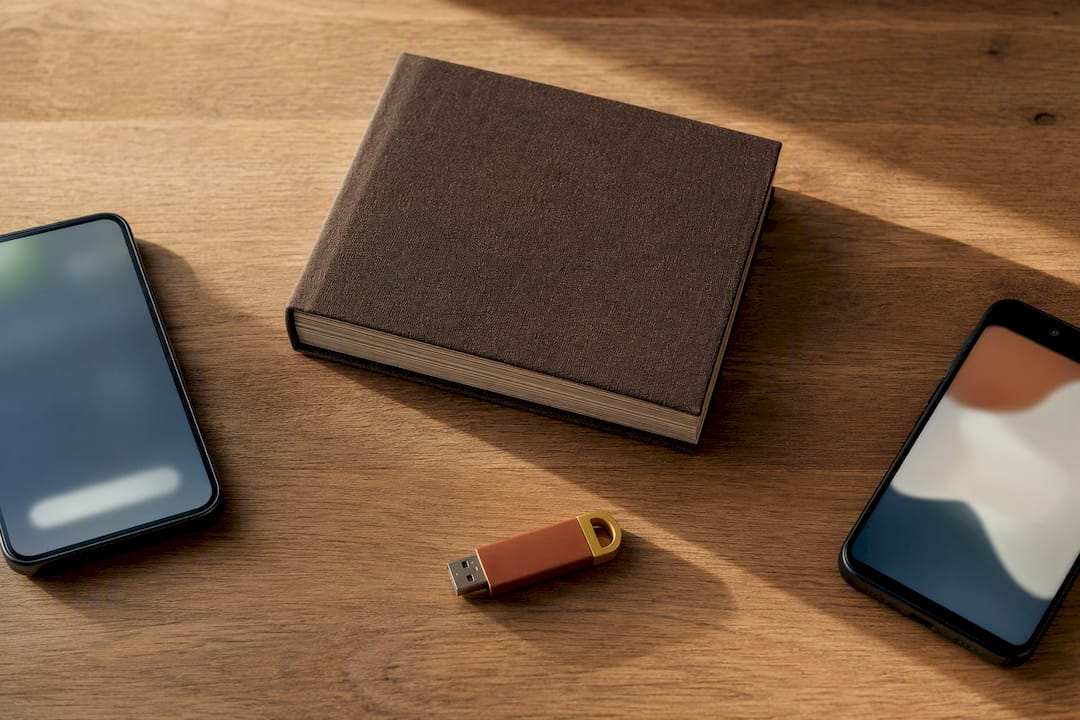
End-to-end encryption means that only the devices taking part can read the content. Text, photos, and voice recordings are encrypted before they leave one device and decrypted only on the recipient's device. The provider transports and stores encrypted data without being able to read, view, or listen to the content itself.
Table of contents
- What end-to-end encryption means
- Where you encounter it in everyday life
- The limits of E2EE
- The methods behind E2EE
- How to tell whether encryption is active
- Why encryption matters for family archives
- What people often overlook
- Frequently asked questions
- Sources
What end-to-end encryption means
The basic idea is simple. A message is turned into unreadable data on the sending device. Only the intended device has the key that can turn it back into text, an image, or sound. An IBM introduction to end-to-end encryption describes this chain from encryption on the device through transport to decryption by the recipient.
Most systems handle the exchange in four steps:
- The devices exchange information that lets them agree on a secure session key.
- That key is protected so that only the intended recipient can use it.
- Messages and files are encrypted with the session key before being sent.
- The receiving device decrypts the content locally.
Many systems renew their session keys regularly. If a new device is added or a security code changes, the app should make that visible. This lets you check that you are still connected to the devices you expect.
Where you encounter it in everyday life
E2EE is best known from messaging apps, but it can also protect email, video calls, file sharing, and private cloud archives. The important question is not what the feature is called. It is which data is encrypted on the device and where it becomes readable again.
- Messaging: Messages, images, and calls can be protected between devices.
- Email: OpenPGP or S/MIME can encrypt content, but they require careful key management.
- Files and archives: Photos, documents, and recordings can be encrypted before upload.
- Video calls: Some services protect only certain call types or group sizes.
Strong encryption can limit some convenience features. Server-side search, automatic organization, and recovery are harder when the server cannot read the content. An overview from Austria's Onlinesicherheit portal explains this relationship between features and protection.
The limits of E2EE
End-to-end encryption protects content, but not necessarily every detail about its use. Time, file size, device type, or the accounts involved may remain visible as metadata. Even the strongest encryption offers little protection if someone gains access to an unlocked device or if a backup is stored without encryption.
These four steps close the most common gaps:
- Turn on encrypted backups if the service offers them.
- Keep your operating system and apps up to date.
- Protect accounts with a unique password and a second sign-in step.
- Do not open unexpected links or attachments, even if the message looks familiar.
The overview of end-to-end encryption shows why the whole system matters. Security depends on devices, keys, and backups as well as the algorithm.
The methods behind E2EE
The names sound more complicated than the jobs they perform. As a user, what matters most is whether a service relies on established standards and clearly explains which content it protects.
- Signal Protocol: It combines a protected key exchange with session keys that change regularly. Proton explains the principle using modern messaging services.
- OpenPGP and S/MIME: These standards are mainly used for encrypted email.
- AES: This symmetric algorithm encrypts large amounts of data quickly and is often paired with a separate key exchange.
A label such as AES-256 does not prove that the entire system is well designed. Secure keys, clear device management, and a protected recovery process are just as important.
How to tell whether encryption is active
Do not rely on a lock icon in promotional copy alone. A trustworthy app shows whether a conversation or archive is end-to-end encrypted and explains the protected scope.
- Open the conversation's security or privacy information.
- Look for a security code, device fingerprint, or QR code.
- For especially important content, compare the code through a second secure channel.
- Check whether backups are encrypted too.
- Remove old devices that should no longer have access.
A security code may change after a device switch. That is not automatically a warning sign, but the app should explain it clearly. A service that talks generally about encryption without naming what is protected leaves an important question unanswered.
Why encryption matters for family archives
A family archive holds more than files. Voices, photographs, and personal answers can reveal very private parts of a life. Protection should therefore begin before content leaves the device, not only when it reaches a provider's storage.
FamilyStories protects the content in a family circle with end-to-end encryption. Text, photos, and voice recordings are transferred and stored in encrypted form. Spoken answers can be transcribed automatically while the original voice is preserved. Personalized questions can be edited at any time, and a family tree connects people with their stories.
You can invite up to ten relatives. They may answer on the interviewer's device, join in their own app with an invitation code, or tell their story without the app through a private browser link. If you also want a practical storage plan, our guide to the best way to store photos long term explains how to preserve images together with their context.
What people often overlook
The most common weaknesses sit at the edges of the system. An unencrypted backup, an outdated device, or a reused password can undermine protection even when the transfer itself is secure. Check the full path of a memory: capture, transfer, storage, sharing, recovery, and export.
I therefore believe it is a mistake to look only at the algorithm when considering encryption. The whole chain matters, from the device to the backup. It is only as strong as its weakest link.
Extra protection can require a little more effort. Recovering content after a device is lost may involve deliberate steps because the provider does not hold a master key. That is also the benefit: access to a server should not automatically provide access to a family's stories.
Frequently asked questions
Your device encrypts content before sending it. Only the intended device can make it readable again. The service in between handles encrypted data without seeing the original text, photo, or recording in readable form.
Not always. Some apps encrypt an active conversation but store backups separately. Check whether backups are also end-to-end encrypted and how recovery works.
Depending on the service, metadata such as time, file size, device type, or participating accounts may remain visible. This is separate from the protected content. A clear product description should explain that boundary.
It depends on the recovery model. You may need a recovery code, an already approved device, or an encrypted backup. Keep the required recovery information in a safe place.
FamilyStories end-to-end encrypts text, photos, and voice recordings within the family circle. This means FamilyStories cannot read, view, or listen to that content. Automatic transcription, the original voice, and the shared organization of memories remain available.
Keep your family's stories, in their own voices
FamilyStories is the iPhone and iPad app where your family collects life stories: with personal questions, real voices and photos, kept private, and in the end a printed book.
- Personal questions by chapter of life
- Spoken words become text automatically
- The original voice is always kept
- Photos right next to their story
- A family circle for up to 10 people
- Answer without the app, by link
- Weekly reminders to keep telling
- Music and nature sounds as you talk
- A family tree for the whole family
- Save it as a PDF or a Word file
- A printed book, shipped worldwide
- Private and end-to-end encrypted
- Download the app
Get FamilyStories from the App Store on your iPhone or iPad.
- Pick the questions
Tell the app a little about the person, and it picks fitting questions.
- Invite your family
Send your family a link. They answer in the app or in their browser.