

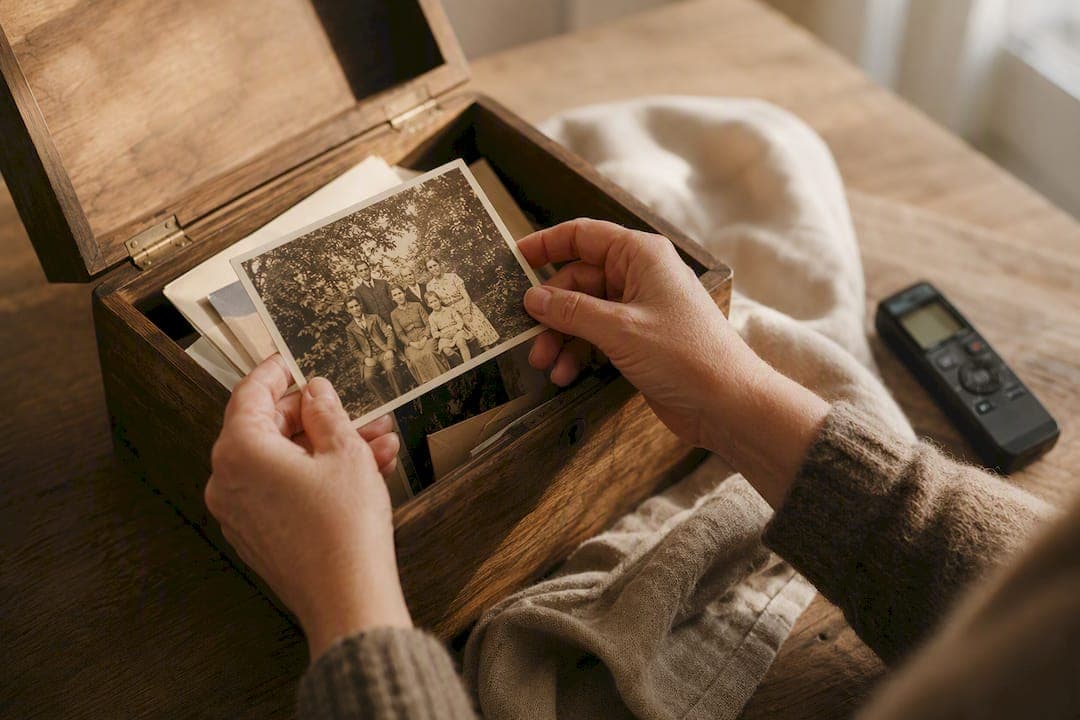
The best way to store photos long term is not to trust a single phone, hard drive, or cloud account. A dependable family archive combines multiple copies, a simple filing system, and the names and stories that make each image meaningful.
Treat the files and their context as two parts of the same project. Keep the original images in more than one place, then add the details a folder cannot explain: who is pictured, where the moment happened, and why your family still talks about it.
Table of contents
- What does safe long-term photo storage require?
- How should you organize family photos?
- Where should you store digital and printed photos?
- How can you share family photos safely?
- Why should you preserve the story behind each photo?
- Which photo storage mistakes should you avoid?
- How can FamilyStories help?
- Frequently asked questions
- Sources
What does safe long-term photo storage require?
A photo archive is resilient when one failed device, forgotten password, or accidental deletion cannot erase the only copy. For especially important images, keep at least two copies on different types of storage, with one copy physically separate from your everyday device.
Privacy matters too. End-to-end encryption protects content so that only the intended participants can read it. Encryption and backup solve different problems: encryption protects access, while additional copies protect against loss. A strong plan needs both.
Do not wait until every folder is perfect. Start with irreplaceable family pictures, recent phone photos, and scans of fragile originals. Once those are protected, expand the system a year or album at a time.
How should you organize family photos?
The most useful system is one another family member can understand without instructions. A practical approach is:
- Create folders by year and event, such as
1998_Family_Reunion. - Remove obvious duplicates only after the backup has been checked.
- Add names, location, and an approximate date to the filename or notes.
- Mark images that need a conversation with a parent or grandparent.
Consistent, ordinary labels are more valuable than a complicated archive that no one maintains. Set aside a short monthly session for new photos instead of planning one enormous cleanup.
Where should you store digital and printed photos?
Each storage option has a different strength. A computer gives you an accessible working library. An external drive creates a local backup. A reputable cloud service provides an off-site copy. Archival boxes and albums protect selected prints and make them easier to share in person.
For many families, a simple layered setup works well:
- Working library: organized originals on a computer or phone.
- Local backup: an external drive that is disconnected when not in use.
- Off-site copy: protected cloud storage or a second medium in another location.
- Story collection: selected images connected to names, voices, and memories.
Open a few original files every few months and after moving to a new device. Seeing thumbnails is not the same as confirming that the full-resolution files are available.
How can you share family photos safely?
Photos quickly scatter across group chats, email attachments, and multiple devices. A shared space with clear ownership is easier to manage. Decide who maintains the archive, who may add material, and when old access should be removed.
Use invitations or links you can control. Review access after a device change or when a family project ends. Avoid sending the only full-resolution copy through a messaging app, since many services compress images.

Why should you preserve the story behind each photo?
A photo records a scene, but rarely explains it. One sentence can transform an unknown image into family history: “Grandpa with his first car outside the house on Oak Street, 1968.”
For the most important pictures, record:
- Who is shown?
- Where and roughly when was it taken?
- What happened just before or after?
- Why does this moment matter to your family?
- Who could tell you more?
The context can live in a caption, a note, or a longer life story. If you want to begin those conversations, use these questions to ask your parents about their life.
A family photo becomes more valuable to the next generation when the voice and story behind it survive alongside the image.
Which photo storage mistakes should you avoid?
The most common problems are simple habits, not advanced technology:
- Keeping one copy: a single failure can affect the whole archive.
- Uploading everything without structure: the collection becomes harder to use each year.
- Checking thumbnails only: previews do not prove the original file is intact.
- Leaving old access active: sharing permissions outlive the project.
- Saving context for later: names and stories can disappear before anyone asks.
Begin with the images you would be most upset to lose. A modest routine that continues is safer than a perfect system that never starts.
How can FamilyStories help?
FamilyStories is not a replacement for backing up your entire photo library. It gives selected family photos what ordinary folders cannot hold: personal answers, original voices, and the context behind a moment.
After the App Store launch, you can create personalized questions and edit them whenever you like. Relatives can answer in writing or by voice. Speech is automatically turned into text while the original recording remains available, and photos can be connected directly to the right story.
You can invite up to ten relatives into a private family circle. They can respond in the app or securely in their browser through a link. Content is end-to-end encrypted. Reminders and a family tree help keep the project moving, and PDF export provides another way to preserve selected stories and images.
The guide to recording your parents' life story shows how individual memories can become a coherent narrative.
Frequently asked questions
Keep organized originals plus at least one separate backup. Combining a local copy with an off-site copy protects against both device failure and damage in one location.
Cloud storage is useful, but it should not be the only copy of irreplaceable photos. Keep an additional local or physically separate backup.
Check it after large imports, when changing devices, and on a regular schedule such as every three to six months. Open several original files, not only their previews.
Add names, a place, an approximate date, and one short memory. Those few details help future relatives identify people and understand the occasion.
No. FamilyStories complements technical photo storage by connecting selected pictures with family stories, written answers, and original voices.
Preserve the stories that make your family unique
FamilyStories turns thoughtful questions into a private place for your family’s voices, photos, and memories.
- End-to-end encrypted
- Personalized questions you can edit at any time
- Text and voice answers with automatic transcription
- Upload unlimited photos
- A family tree that connects people and stories
- Weekly or monthly reminders
- Answer in the app or securely in a browser via a link
- Preserve each family member’s original voice
- Download the app
Open our homepage and start FamilyStories from there.
- Choose your questions
Choose personal questions and adapt them to your family at any time.
- Invite your family
Share a secure link or invitation code and capture the first story together.